
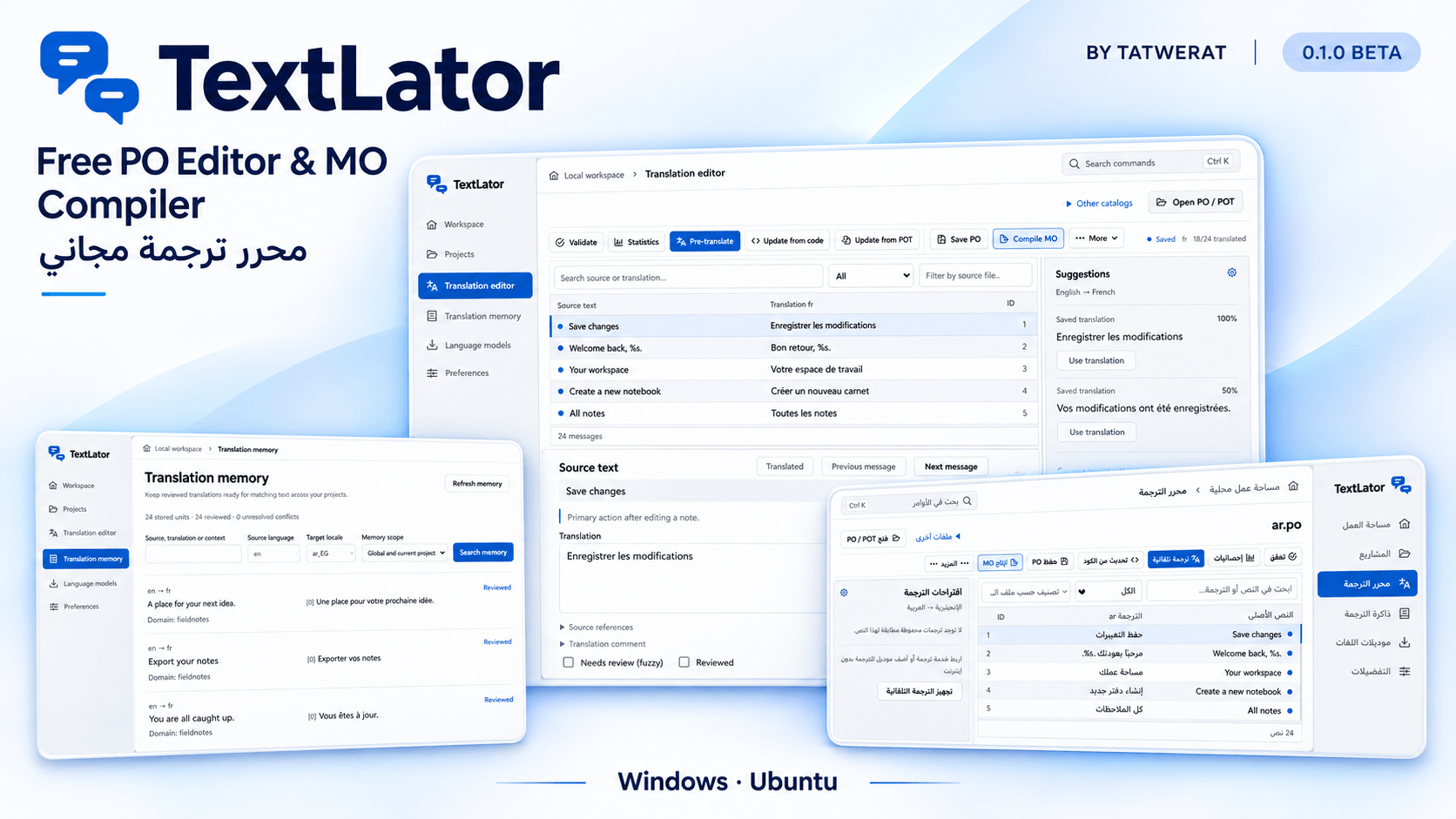
We’ve built and launched TextLator 0.1.0 Beta, a free desktop translation workspace by Tatwerat for WordPress themes and plugins, plus Gettext-based Frappe and ERPNext projects.
TextLator brings the full source → POT → PO → MO workflow into one application: collect translatable strings, create a catalog for each language, review translations and compile files ready for your project.
Why we built TextLator
Translation-tool subscriptions had become a recurring cost in our own projects. We wanted a workspace we could use every day without a TextLator subscription, so we built one and made it free to use.
What we delivered
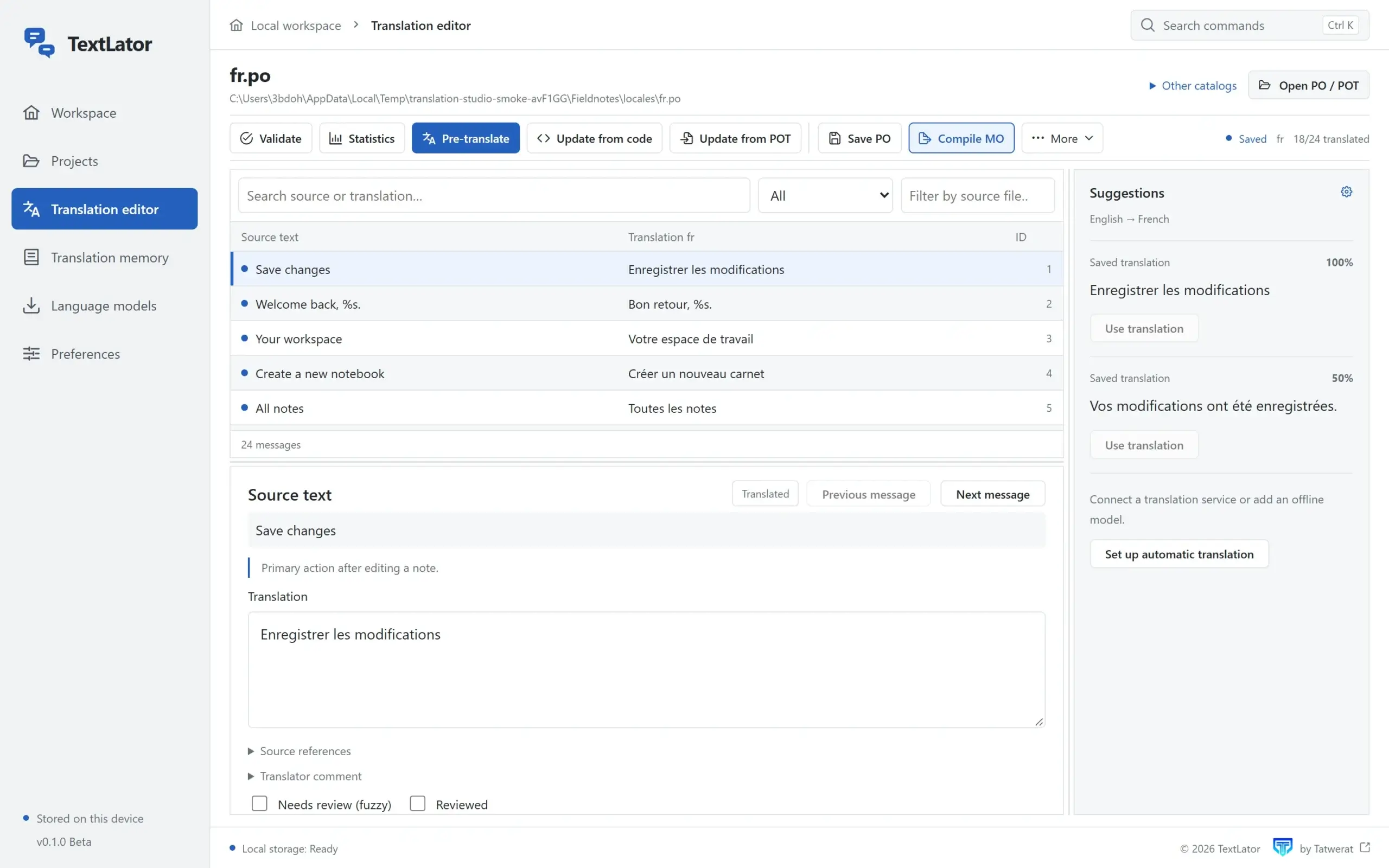
- A focused PO editor: edit translations with context, plural forms, search, filters and review states.
- POT creation and MO compilation: extract supported translation calls from source, create language catalogs and compile MO files from the editor.
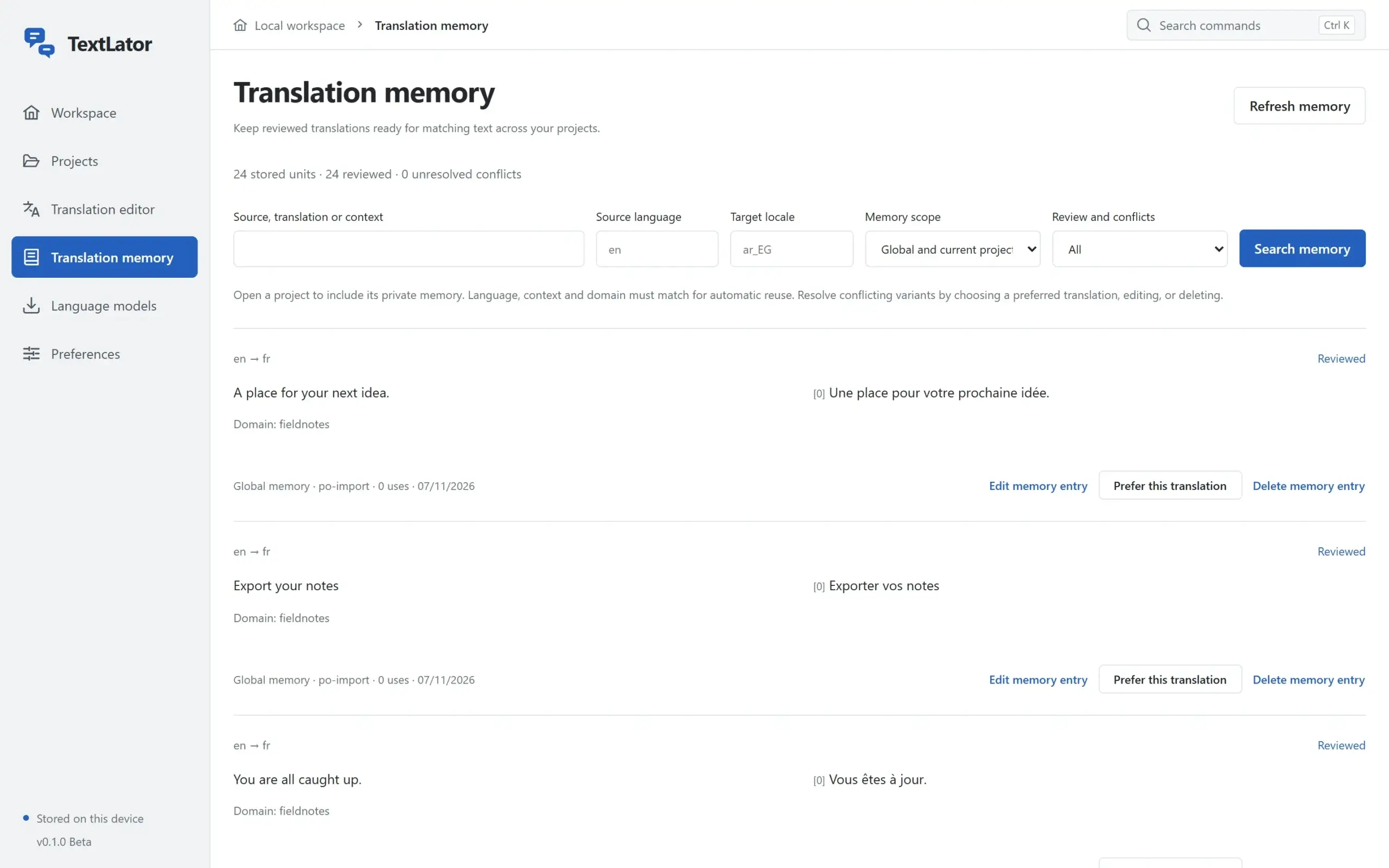
- Local translation memory: keep reviewed translations, search and reuse compatible matches, and import or export your memory across projects.
- Validation and safer updates: find missing placeholders and unfinished strings, update from source or POT, and keep recoverable snapshots.
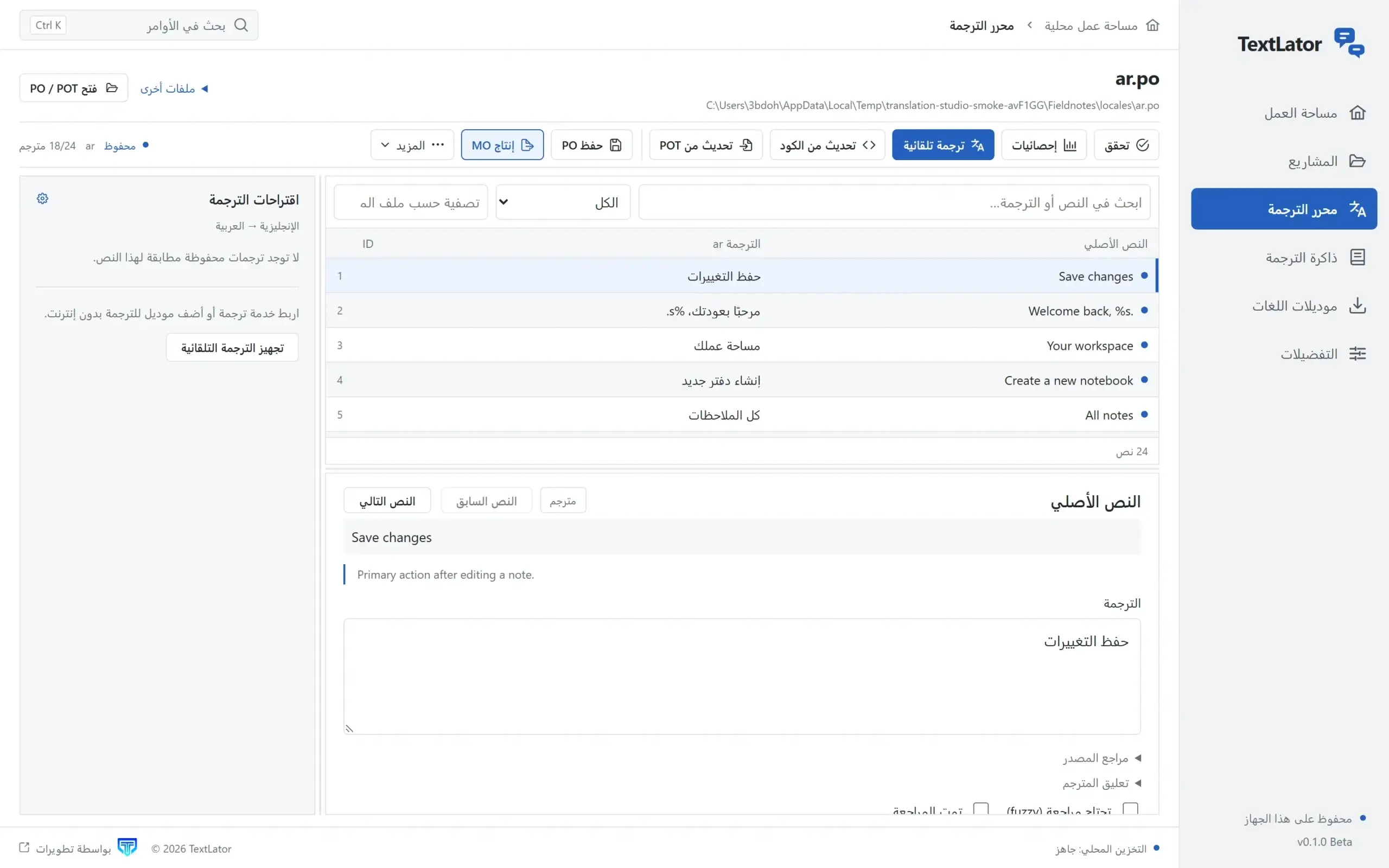
- Arabic and RTL: eight interface languages, including Arabic and Persian, with right-to-left layouts and a searchable locale selector.
- Optional translation assistance: use Argos models locally, or connect Google and OpenAI with your own API key.
Inside the application
Built for your desktop
Built with Electron, React, TypeScript and SQLite, TextLator keeps core editing, validation, translation memory and MO compilation on your computer. These workflows work offline; optional local machine translation requires installing Argos models.
Explore and download
The first public release, 0.1.0 Beta, is built for Windows x64 and Ubuntu Linux amd64. Check the product website for currently available installers. No TextLator account or subscription is required. Optional cloud translation services are billed separately by their providers.
Visit the TextLator website · Explore the workspace · View available downloads